

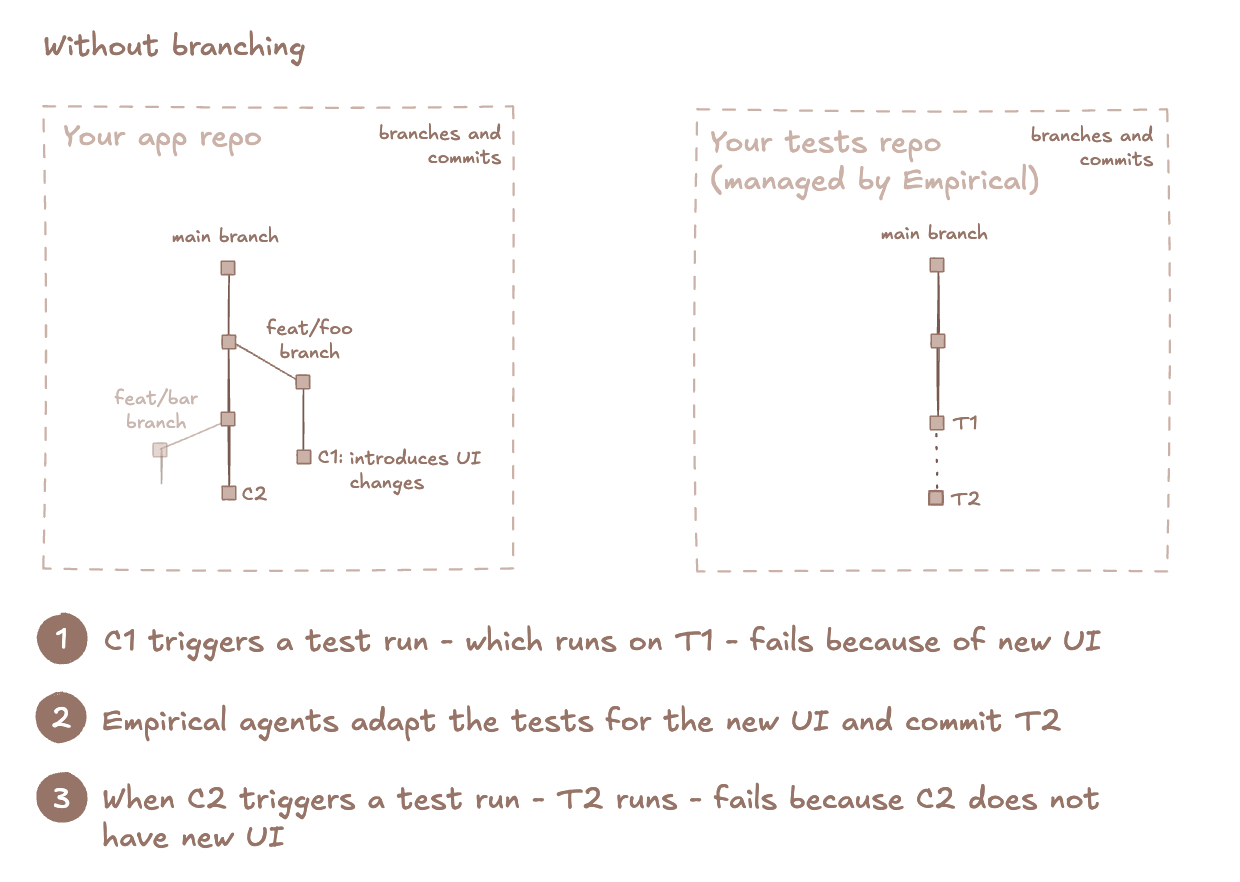
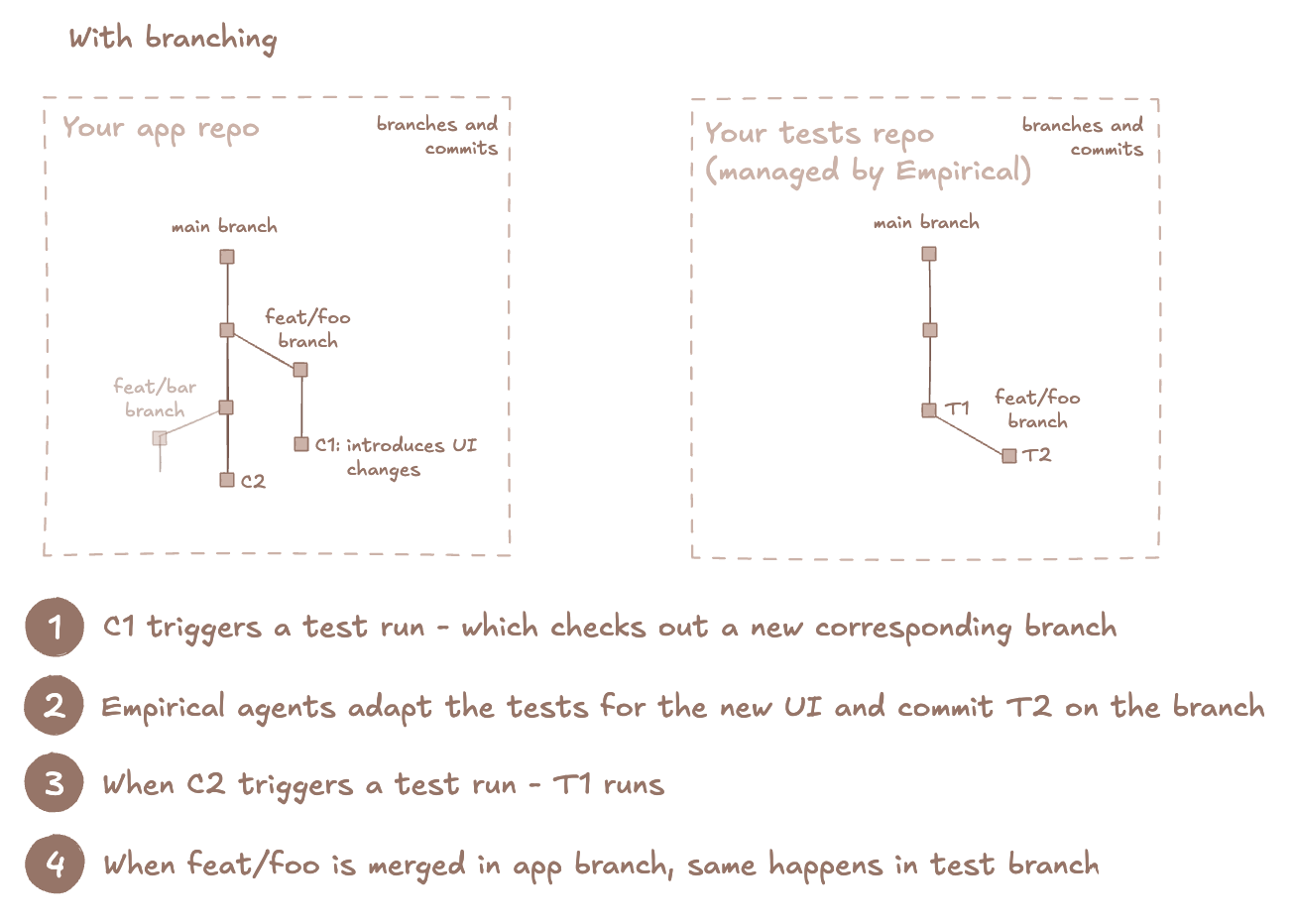
Which test code a run uses
Test runs never create a test branch. It must already exist in the test repository.
Pull request runs
A run triggered for an application pull request tests the test code as it will look once that pull request merges. Empirical merges the matching test branch into the default branch on a temporarytest-run/merge/* ref and runs the merge commit. It deletes these refs after the test branch merges.
If the test branch conflicts with the default branch, the run errors with a merge conflict. Rebase
the test branch, or pass branch to run it without a merge.
The dispatch action sends the trigger on pull_request workflow
events. With the API, send trigger together with build:
Choose the default branch
New projects usemain. To change it, open Settings → General.
Pick the branch your application merges features into. For example, if features merge to a
staging branch in your application repository, name the Empirical default branch staging too.
Merge test branches with application branches
When an application pull request merges, Empirical needs to merge the matching test branch into the same base. Add a merge step to your CI so Empirical hears about the merge. It sends only the branch names, not your application code. Empirical deletes the test branch after it merges. Empirical merges only an open, ready-for-review pull request from the test branch into that base. If the test branch has no open pull request, or its pull request is a draft, nothing merges. To keep a test change out of the default branch, close its pull request or mark it as a draft.GitHub Actions
Add this workflow to.github/workflows/merge-branches.yaml. The action reads the head and base
branch from the pull_request event:
v1 receives backwards-compatible fixes, and breaking changes ship as a new major version. To pin
an exact release, use a tag such as v1.0.0.
Other CI/CD providers
Call the merge-branches API after the application pull request merges. SetHEAD_BRANCH to the
branch that merged and BASE_BRANCH to the branch it merged into:
Related
- Linked test changes: block an application pull request until its test branch merges
- Trigger runs from CI/CD: send
pull_requesttriggers and build metadata